Conference Video Production

Conference video production is rarely just about recording the event.

The result is usually shaped by decisions made before filming begins – how audio is captured, how the space is lit, and how cameras can be positioned within the venue.

That’s why planning the video properly from the outset makes such a difference.

This guide breaks the process into three essential steps to help you capture clear, professional video that works beyond the day:

Step 1 – Plan your content with purpose
Step 2 – Manage logistics and technical essentials
Step 3 – Visualise the experience with filming packages

We provide conference video production in Sydney, Newcastle and across NSW, supporting organisations with practical, reliable event filming tailored to their goals.
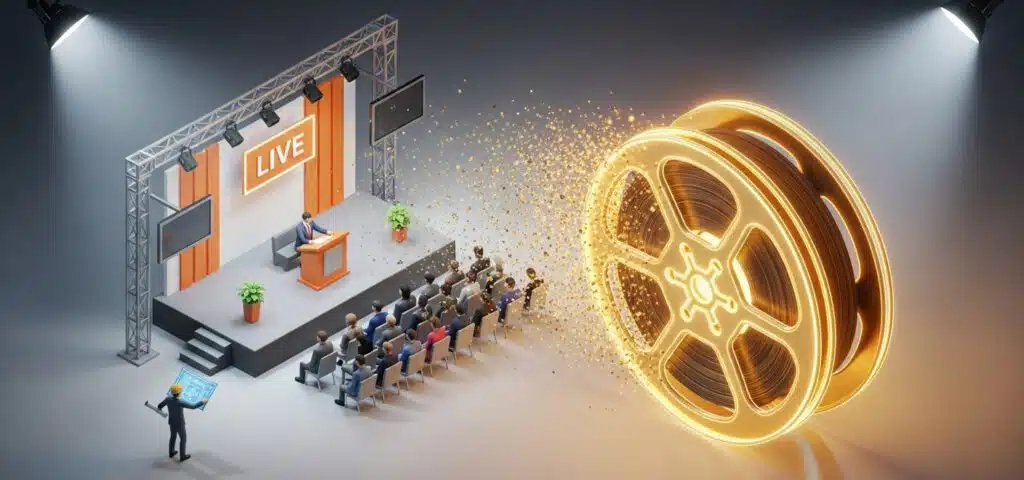
Step 1 – Align your conference video production with your event goals

Naturally, your focus is on the live event – speakers, guests, timing and delivery. But what lasts is the video.

Conference video production starts long before cameras roll. The way your content will be used should shape how the event is filmed from the outset.

Whether the goal is training, internal communication, marketing or documentation, that purpose determines how the event is filmed.

planning event video

Planning ahead helps you:

  • Ensure professional quality – your video reflects your organisation clearly and consistently
  • Capture what matters – key presentations, panels and audience moments are recorded properly

  • Right-size the production – cameras, audio and crew are aligned with your goals

  • Reduce post-production time – filming with purpose avoids unnecessary fixes or missing footage

Content purpose drives production decisions

Once you decide to record the event, the intended use of the video shapes production decisions, cost and crew requirements.


Compliance / Archival Recording

Purpose: Document the event for internal records or compliance requirements.
Production approach: Single-camera setup, reliable audio, minimal editing.
Benefit: Complete documentation without unnecessary complexity.


On-Demand Learning / Training Videos

Purpose: Turn presentations into reusable training content.
Production approach: Multi-camera coverage (presenter, slides, audience), monitored audio, careful editing.
Benefit: Reusable content for staff training and onboarding.


Marketing / Highlight Videos

Purpose: Showcase the event to engage audiences or promote your organisation.
Production approach: Dynamic shots (close-ups, audience reactions, wide views), B-roll, creative editing.
Benefit: Engaging, marketing-ready content that showcases your event.


Internal Communications / Executive Briefs

Purpose: Inform staff or executives who couldn’t attend.
Production approach: Focused coverage of key segments, clear visuals and audio.
Benefit: Keeps teams aligned and supports decision-making.

  • Practical Tip: Create a simple capture plan listing the most important sessions and moments. This allows the production team to prioritise shots and ensures nothing essential is missed.
  • Key takeaway: Planning with purpose reduces surprises, improves quality, and ensures your footage remains useful long after the event.

Conference filming planning checklist

Before organising video coverage, confirm:

  • number of speakers

  • presentation format

  • slideshow integration

  • panel discussions

  • room layout

If you’d like help reviewing your event setup, feel free to get in touch.

Need help reviewing your setup?

Planning a hybrid event that includes live streaming?

Planning to include live streaming? Our guide covers the key considerations for delivering a reliable event stream.

Live Streaming guide
5 Star Google feedback for Thor Productions

Step 2 – Manage logistics and technical essentials

Good conference video depends on factors that are often outside your control on the day.

Lighting, audio and room layout are usually set up for the live audience – not for recording. Once the event begins, there’s limited flexibility.

That’s why these elements need to be considered early.

Event Logistics

Key logistics considerations:

  • Venue access and setup – confirm loading docks, lifts, parking and access times for crew and equipment, as well as venue requirements.
  • Technical infrastructure – check lighting, power supply, audio systems and Wi-Fi (if required). This helps plan camera placement, microphones and backup options.
  • Space and sightlines – ensure cameras can capture speakers, panels and audience reactions without obstruction. Consider multiple angles for key moments.
  • Event schedule coordination – confirm timing for key sessions, breaks and transitions so nothing important is missed.
  • Contingency planning – account for technical issues, room changes or delays. Backup options reduce risk and keep the production on track.

Practical tips for smoother production:


Recce the venue

Walk through the space with your production team and venue staff to identify constraints and plan camera positions.


Create a capture plan

List the key sessions and moments tied to your content purpose to keep filming focused and efficient.


Coordinate with venue staff

Confirm lighting, noise and audience flow to avoid disruptions during recording.

  • Practical note: Even if the footage will be edited later, record everything that could be important. It’s easier to trim in post-production than to recover missed moments.

Planning logistics properly reduces surprises, improves quality and ensures your footage remains usable long after the event.

Audio considerations: Beware of the “automated audio” trap

Event audio schemetic

Many venue audio systems are designed for the room, not for recording. Without planning, this can lead to unusable audio, complicated setups, or expensive post-production fixes.

To avoid this trap, audio for conference video production needs to be planned separately from the room sound. Below are the most common recording approaches, their trade-offs, and when each one makes sense.

Audio setup options: How each approach affects your recording


Direct feed from venue

How it works
A dedicated audio output from the venue’s sound desk (typically XLR) is fed directly into the video cameras or recorder.

Why it works

  • Simple, reliable setup

  • Professional-quality audio when properly monitored

  • Minimal additional equipment required

Limitations to consider

  • Requires cooperation from the venue or AV provider

  • Limited control if the feed isn’t actively monitored

Best suited for
Compliance or archival recordings, learning and training content


Full independent audio setup

How it works
The venue system is bypassed. Production provides microphones and a PA system, with audio feeding both the room and the cameras.

Why it works

  • Fully controlled and production-safe

  • Avoids doubling microphones

  • Delivers consistently high-quality recordings

Limitations to consider

  • Higher cost

  • Requires additional equipment, personnel, and setup time

Best suited for
Learning and training content, marketing and highlight videos


Hybrid setup (venue + supplemental microphones)

How it works
Venue microphones are used alongside additional production microphones (handheld or lapel) for recording.

Why it works

  • Flexible and cost-effective

  • Reduces feedback risk

  • Offers better control than venue audio alone

Limitations to consider

  • Multiple microphones require careful coordination

  • May need additional crew to manage audio

Best suited for
Learning and training content, budget-conscious productions


Recording from a room speaker – last resort only

How it works
A microphone is placed in front of a loudspeaker to capture the room sound.

Why it’s used

  • Lowest cost

  • Minimal setup

Limitations to consider

  • Captures all room noise and reverberation

  • Often requires audio repair in post-production

  • Unreliable for professional results

Best suited for
Emergency use only, very low-budget or last-resort archival scenarios

  • Key takeaway:

    Choosing the right audio approach for your conference video production can mean the difference between clean, usable footage and costly fixes in post-production.


Room layout

The physical setup of the room has a direct impact on what can be captured.

Sightlines, obstacles, stage height and audience positioning all affect camera placement and coverage. These need to be assessed early to avoid limitations on the day.


Lighting

Conference lighting is designed for the room, not for video.

Natural light, mixed colour temperatures and low-light conditions can affect exposure and consistency. These issues are best addressed during planning rather than during filming.


AV Considerations

Check availability of projectors, monitors and presentation systems, as well as any restrictions on camera placement.

Ensure slides and visuals will be clearly visible in the recording and that signal paths are suitable for the production setup.


Compliance and safety

Venues often require public liability insurance and compliance with electrical safety standards.
 
Confirming these requirements in advance avoids last-minute restrictions and ensures smooth setup.
 

Planning a conference? 

We regularly film conferences, keynote presentations and panel discussions across Sydney and Newcastle.

If you’d like to confirm the best filming approach, we are happy to quickly review your setup and suggest a practical solution.

Even a short conversation can help avoid common issues with stage layout, audio and camera positioning.

Discuss your event
5 Star Google feedback for Thor Productions

Step 3 – Choose the right filming approach

Once your content purpose and logistics are clear, the next step is choosing the right level of production.

Different goals require different approaches. A simple recording setup may be sufficient for documentation, while training content or marketing videos often require multi-camera coverage, higher production value and more detailed editing. The aim is to match the production setup to how the content will be used – avoiding unnecessary complexity while ensuring the result is fit for purpose.

Our conference video production packages are structured around how the content will be used. Each option balances coverage, audio and production complexity to suit different types of events. We cover Sydney, Newcastle and greater NSW.

Conference video packages

Event Lite

Event Pro

Event Highlight

Package Comparison

Key components included in all packages

All packages include the core elements required for reliable event recording.

Additional options can be added where needed, depending on your event setup and objectives.


1. Camera set up

We use broadcast-quality cameras suited to corporate events, with strong low-light performance, advanced audio control, and flicker-free recording under LED screens and lighting.


2. Lighting

We provide complimentary lighting for smaller venues to ensure presenters are well lit and the video remains clear and consistent.


3. Audio Setup

We coordinate with you and the venue to ensure clear audio for both the cameras and the audience. One wireless audio feed to the cameras is included as standard.

Event Lite

From $1,000 ex GST.

Designed for documentation and single-presenter events.

What’s included


Pre-event consultation and planning checklist

We review your event setup with you in advance using a structured checklist to confirm key details such as audio, room layout and presentation format.


  • 1x professional camera operator
  • 1x broadcast FHD camera
  • In-camera audio control


Full back-up recording

Footage is recorded in-camera and on a separate recorder for redundancy.

Single-camera coverage

The operator manages setup before the event and handles filming throughout.

live streamed close up shot

Optional add-ons

These features are part of the Pro package, and can be added to this package.


Slide capture

Subject to venue setup, presentation slides can be recorded in sync with the camera for efficient post-production.


Additional cameras

Additional angles improve coverage and are useful for audience interaction, such as Q&A.

Picture in Picture live stream video feed

Picture-in-Picture (PiP)

Presenter and slides combined into a structured edit.

Live streamed presentation wide shot

“Locked off” wide shot

Secondary static camera for full-stage coverage.

Top
Package Comparison

Event Pro

From $1,450 ex GST

Designed for panel discussions and multi-presenter events.

What’s included


Pre-event consultation and planning checklist

We review your event setup with you in advance using a structured checklist to confirm key details such as audio, room layout and presentation format.


  • 1x professional camera operator
  • 3x broadcast FHD cameras for dynamic video angles
  • In-camera audio control


Full back-up recording

Footage is recorded in-camera and on a separate recorder for redundancy.

Three-camera coverage

Multi-camera setup for dynamic coverage of presenters, panels and audience interaction, with slide capture recorded in sync with the camera feed.

close-up camera shot
Mid camera shot
wide camera angle
Live streamed slide

Optional add-on


Live switch recording

Live switching between camera and slide sources, with all inputs and the program feed recorded in sync for streamlined post-production.

multi camera switcher recorder

Top
Package Comparison

Event Highlight

From $2,100 ex GST

Designed for marketing and audience engagement.

What’s included


Pre-event consultation and planning checklist

We review your event setup with you in advance using a structured checklist to confirm key details such as audio, room layout and presentation format.


  • 1x professional videographer
  • 1x cinematic 4k camera
  • Vox pops audio & lighting kit
  • One-minute highlight edit

A short, engaging edit capturing key moments, audience reactions and the overall atmosphere of the event.


Editing options

Titles, graphics and name supers can be added where required.


Music

Royalty-free music options or you can supply your own track.

4K capture for flexible delivery

Highlight footage is captured in 4K, allowing delivery in widescreen or vertical formats without loss of quality.

Highlight video

Delivery timeframe

Your highlight video is typically delivered within 7 working days.

Optional add-on


Gimbal stabilised footage 

Stabilised movement for smoother, more dynamic visuals.

stabilised highlight videos

Top
Package Comparison

Thor Productions event video package comparison

Your journey with us


Pre-Event Preparation

  • Consultation
    We review your event setup, logistics and technical requirements to ensure the video captures what matters.
  • Site recce (optional)
    A venue visit can be arranged where required to confirm setup with venue staff.
  • Setup (bump in)
    Setup is completed either on the day or, where needed, the day prior. Additional charges may apply.


Event Day

  • Crew
    We provide the required crew, including experienced camera operators and technical support.
  • Equipment
    We set up cameras, coordinate audio with the venue, and ensure all required systems are in place for recording.
  • Setup time
    We recommend allowing at least 3 hours for setup to ensure everything is configured correctly.
  • Recording
    The event is recorded in-camera and on external recorders for backup.


Timing

  • A standard 6-hour call typically covers setup, recording and pack-down, with the event itself running up to one hour.

    Additional time may be required for longer events to accommodate all stages of production.

Who we work with

Our team specialise in corporate video production with a focus on conferences.

Australian Institute of Architects logo
Domain logo
EQT logo
Natterbox logo
ManageEngine logo
Faith Housing Alliance logo

What sets us apart?

  • Experience in live environments
    With a background in broadcast and corporate production, we’re used to working in environments where there’s no margin for error.
  • Production-focused approach
    We focus on how the video will be used, not just how it looks. This ensures the recording is clear, structured and useful beyond the event.
  • Reliable audio and coverage
    We prioritise clean audio and consistent camera coverage, ensuring the final result is usable without extensive fixes in post-production.
  • Practical planning
    We work through key details in advance, helping identify potential issues with audio, lighting and camera placement before the event.
  • Efficient delivery
    Our workflow is designed to keep post-production straightforward, with structured recordings and clear source material.

Find out more about us here.


Client testimonials

“Thorsten was impressively organised, knowledgeable and the footage he took was world class. I will most definitely be using Thor again, he is the best videographer I have ever worked with.”

Tresne Middleton, Teacher Professional Development (TPD)

“Thorsten has been very easy to work with – helpful, flexible, and highly responsive. His level of professionalism should be a standard in his industry.”

Cheryl Tuquib, Clickhouse

“Thor Productions recently delivered a fantastic corporate video for an event we hosted in Sydney. Their team was creative, professional, and highly skilled, ensuring a smooth and enjoyable process from start to finish. The final product exceeded our expectations, with outstanding editing and sound design. Communication was clear, and their innovative approach brought our vision to life. I highly recommend Thor Productions for their video production and excellent customer service. They truly exceed expectations.”

Thomas Derum, Outstaffer

“Used Thor Productions for a significant work event and the product was impeccable. Very approachable, great communicator, good response times and clearly takes a lot of pride in the work. Great team of staff and was very patient and generous with supporting me and the event. Highly recommend.”

Matt Dimech, Legal Aid NSW

Work samples

 event LITE+ 

Clickhouse

2-camera coverage with presentation capture and picture-in-picture edit.

 event highlight

KINEO

4K highlight video with vox pops and lighting, edited into a one-minute summary.

Click here for more event video examples.

Get advice for your event!

If you’re planning a conference or event, feel free to get in touch.

You can share as much or as little detail as you have at this stage. We’re happy to review your setup and suggest a practical approach.

(02) 9199 0664 0414 452 120
5 Star Google feedback for Thor Productions